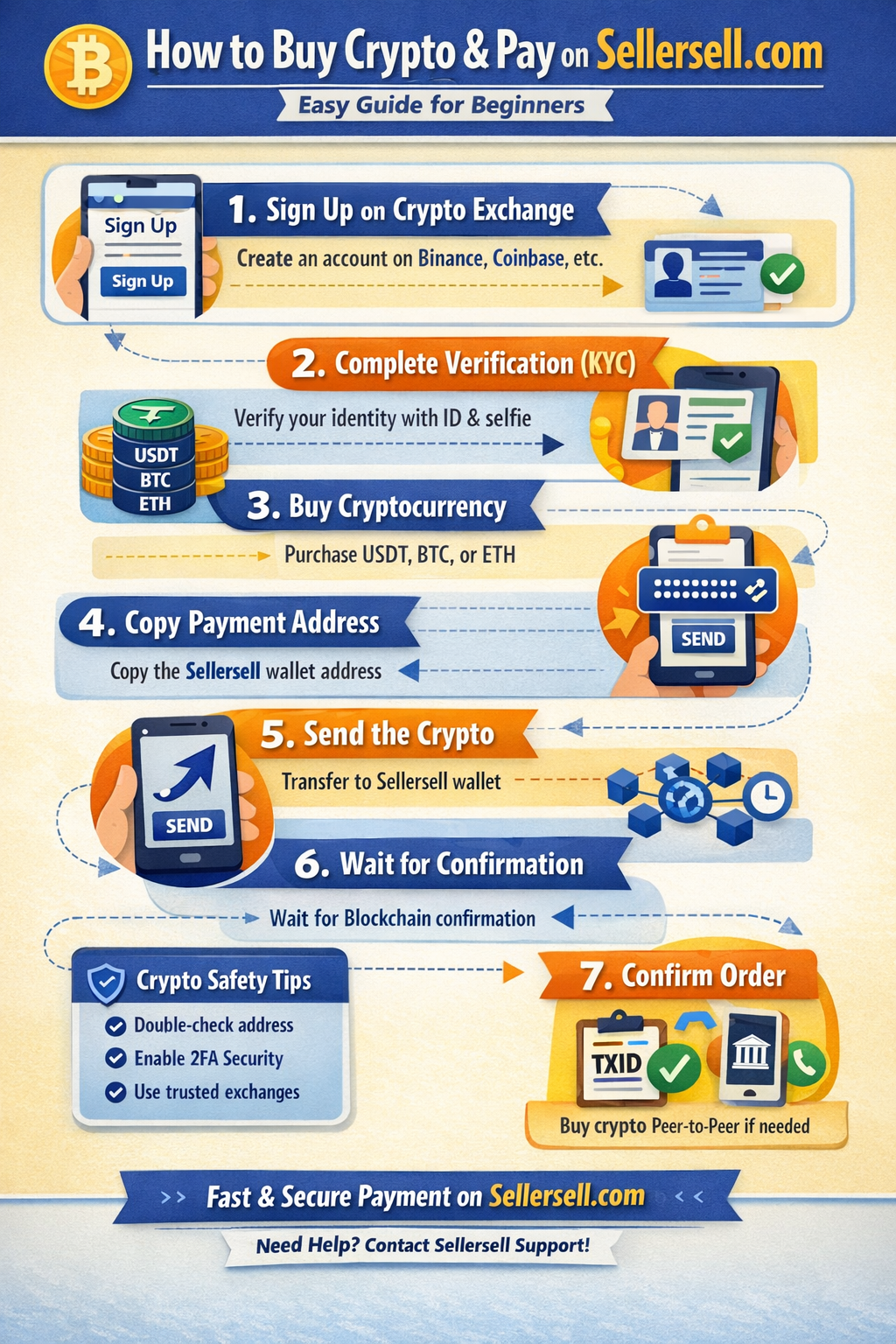
How to Buy Cryptocurrency and Pay for Services on Sellersell.com (Step-by-Step Guide)
Many customers who want to purchase services on Sellersell.com may not have a Binance account or experience with cryptocurrency payments. Since crypto payments are becoming a fast and global way to pay online, this guide explains the simple step-by-step process to buy cryptocurrency and use it to pay for your order on Sellersell.com, even if you are completely new to crypto.
This tutorial is designed for beginners and will walk you through everything from creating an account to completing your payment safely.
Why Sellersell Uses Cryptocurrency Payments
Cryptocurrency payments offer several advantages for international customers:
- 🌍 Global access – Customers from any country can pay easily
- ⚡ Fast transactions – Payments are processed quickly
- 🔒 Secure payments – Blockchain transactions are encrypted and safe
- 💰 Lower transaction fees compared to traditional bank transfers
Because many customers do not have international payment methods such as PayPal or credit cards that work globally, crypto makes it easier to complete orders.
Step 1: Create a Cryptocurrency Exchange Account
If you do not already own cryptocurrency, the first step is to create an account on a crypto exchange platform where you can buy it.
Some beginner-friendly exchanges include:
- Binance
- Heleket
- Volet
- Coinbase
These platforms allow users to purchase crypto using:
- Debit card
- Credit card
- Bank transfer
- P2P (peer-to-peer) payments
Account Setup Process
- Visit the exchange website.
- Click Sign Up.
- Enter your email address or phone number.
- Create a secure password.
- Verify your email or phone number.
Most exchanges also require identity verification (KYC) for security purposes.
Step 2: Complete Identity Verification (KYC)
To buy cryptocurrency with a bank card or other payment methods, you usually need to complete verification.
This typically involves:
- Uploading a passport or national ID
- Taking a selfie verification
- Confirming your personal information
Verification normally takes a few minutes to a few hours depending on the platform.
Step 3: Buy Cryptocurrency
After your account is verified, you can purchase cryptocurrency.
The most commonly used coins for payments are:
- USDT (Tether) – Stable and widely accepted
- BTC (Bitcoin) – Most popular cryptocurrency
- ETH (Ethereum) – Fast and widely used
Recommended Option
For most payments, USDT (Tether) is recommended because:
- Its price stays close to 1 USD
- It avoids price fluctuations
- It is accepted on most payment systems
How to Buy Crypto
- Go to the Buy Crypto section.
- Select your payment method (card, bank transfer, or P2P).
- Choose the cryptocurrency (for example USDT).
- Enter the amount you want to buy.
- Confirm the purchase.
Once completed, the crypto will appear in your exchange wallet.
Step 4: Copy the Sellersell Payment Wallet Address
When you place an order on Sellersell.com, you will receive a crypto wallet address for payment.
This wallet address is where you send the cryptocurrency.
Important tips:
- Always copy the wallet address exactly
- Do not type it manually
- Make sure you select the correct network
Example networks may include:
- TRC20
- ERC20
- BEP20
Using the wrong network may cause your funds to be lost.
Step 5: Send the Cryptocurrency
Now you can send the payment from your exchange wallet.
Steps to Send Crypto
- Log in to your crypto exchange account.
- Go to Withdraw or Send.
- Select the cryptocurrency (for example USDT).
- Paste the Sellersell wallet address.
- Select the correct network.
- Enter the payment amount.
- Confirm the transaction.
Most exchanges will ask for:
- Email verification code
- SMS verification
- Google Authenticator code
This helps ensure the transaction is secure.
Step 6: Wait for Blockchain Confirmation
Once the transaction is sent, it must be confirmed on the blockchain.
Typical confirmation time:
- TRC20 (USDT) – 1 to 5 minutes
- BEP20 – 1 to 3 minutes
- ERC20 – 5 to 15 minutes
After confirmation, the payment will be visible to the Sellersell team.
Step 7: Confirm Your Order
After sending the payment:
- Take a screenshot of the transaction ID (TXID).
- Send the TXID or payment proof to the Sellersell support team.
- The order will then be confirmed and processed.
Tips for First-Time Crypto Users
If you are new to cryptocurrency, follow these safety tips:
✔ Always double-check wallet addresses
✔ Use trusted crypto exchanges
✔ Send a small test transaction first if possible
✔ Never share your exchange login details with anyone
✔ Enable two-factor authentication (2FA)
These simple steps help keep your funds secure.
Alternative Option: Buy Crypto via P2P
If your card does not work for direct purchases, you can use P2P (Peer-to-Peer) trading.
P2P allows you to buy crypto from other users using:
- Local bank transfer
- Mobile payment apps
- Local payment methods
Many exchanges offer built-in P2P marketplaces where you can safely buy crypto.